Boost search ranking
Useboost to bias the in-product search ranking of specific pages or sections. The value is a numeric multiplier applied to each chunk’s relevance score: boost: 3 makes a chunk three times as relevant as it would be without a boost.
Boost a single page
Setboost in a page’s frontmatter to multiply its search ranking.
Boost a navigation group
Setboost on a group in your docs.json navigation to apply the multiplier to every page under it.
boost value. A page’s frontmatter boost always wins over a value inherited from the navigation.
De-prioritize content
Use a value below1 to push pages further down in search results. For example, boost: 0.5 halves a page’s relevance score relative to other pages. A boost of 1 is equivalent to no boost.
Boost factors compose with the existing relevance score. Use them sparingly. Large multipliers can cause less-relevant pages to dominate search results and degrade overall search quality.
Exclude a page from search
Setsearchable: false in a page’s frontmatter to exclude it from your documentation site’s search results.
noindex, searchable: false doesn’t affect external SEO. The page is still:
- Crawlable by external search engines
- Listed in your
sitemap.xml
searchable: false for pages that should stay reachable through direct links or external search engines but shouldn’t surface when users search inside your docs. Examples include deep reference pages, legacy content, and supporting material that would otherwise crowd out more relevant results.
To exclude a page from both in-product search and external indexing, use noindex: true instead.
Maximum search results
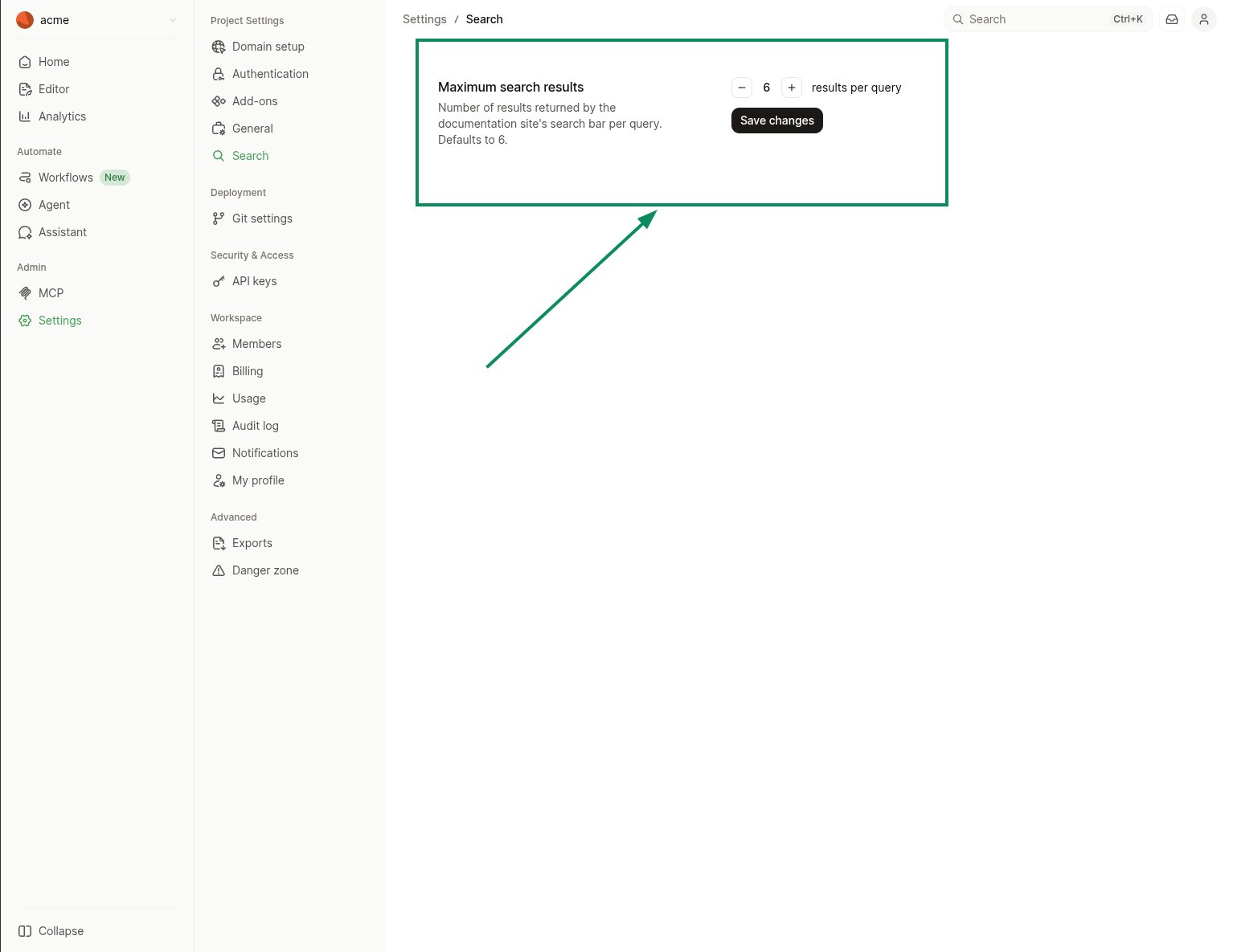
Control how many results the search bar returns per query from your dashboard. The default is6 results. You can set any value between 1 and 100.
In your dashboard, navigate to Settings > Deployment > Search, set Maximum search results to the value you want, and select Save changes.